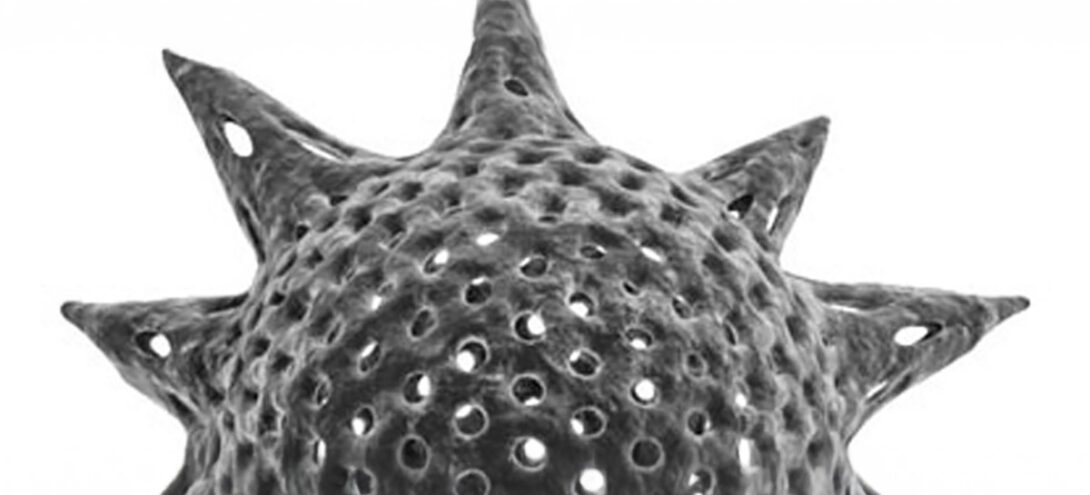
Here’s another script I wrote that I’ve been using at my job for some of the medical animations we’ve been working on. It was taking WAY too long to manually go through and create a model like the one above, so I automated the process.
Description:
The user can create buckyballs (geometric shapes of carbon atoms consisting of 12 pentagons and a varying amount and arrangement of hexagons), other fullerenes, radiolarians, soccer balls (european footballs), or any number of other interesting geometric shapes. Cancel out of the Chamfer floater to create other fun shapes with the vertexes and edges that get selected on the base geosphere. Send pics if you create anything you’re proud of with this script.
Installation:
– Unzip buckyball.zip
– From the MaxScript panel, run buckyball.mzp
Directions:
After installation, from the MaxScript panel, run buckyball.ms found in the $scripts\DigitalFlipbook folder.


Nice script, I used it to create a model for a real time animation. http://pouet.net/prod.php?which=18454
I don’t know what to do with a .mzp file. How do you unzip it.
Hi, I was looking to get hold of the script for Buckyball…
The link to download it, doesnt work anymore.
Would you be so kind to upload this to an FTP Server??
Best Wishes,
Govinder Singh Manku